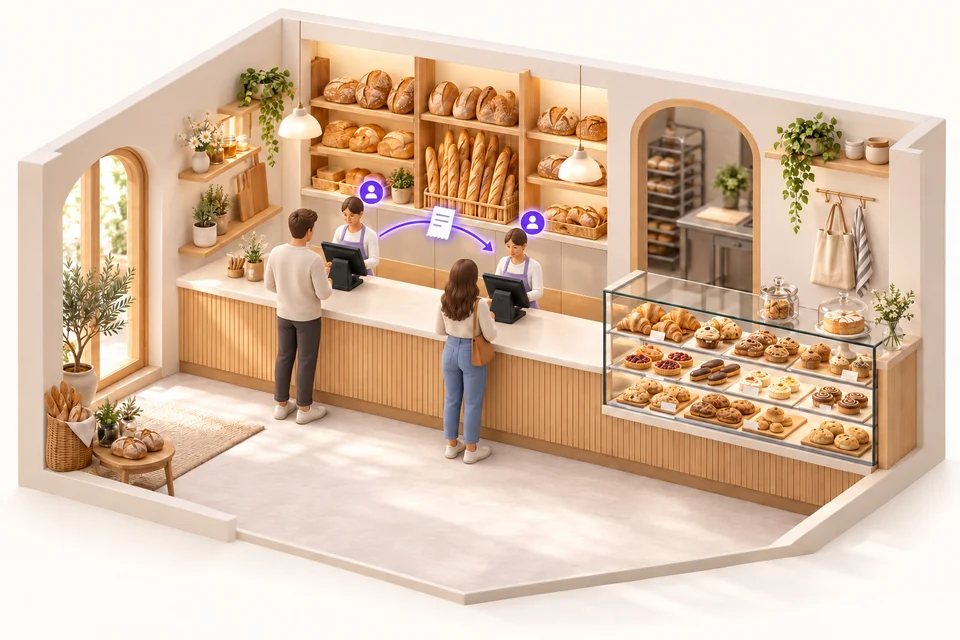
In a bakery, multiple tills at the same counter.
Start the sale on one till, then identify yourself at the second to continue it. Follow the customer along the counter without starting their receipt again.
Explore the all-in-one POS ↗
MULTI-SELLER / MULTI-TILL
In a bakery, grocery shop or larger store, start a sale at one till and finish at another. Organise your sales stations with iotill and centralise management in iotill Cloud.
Plan my multi-till setup ↗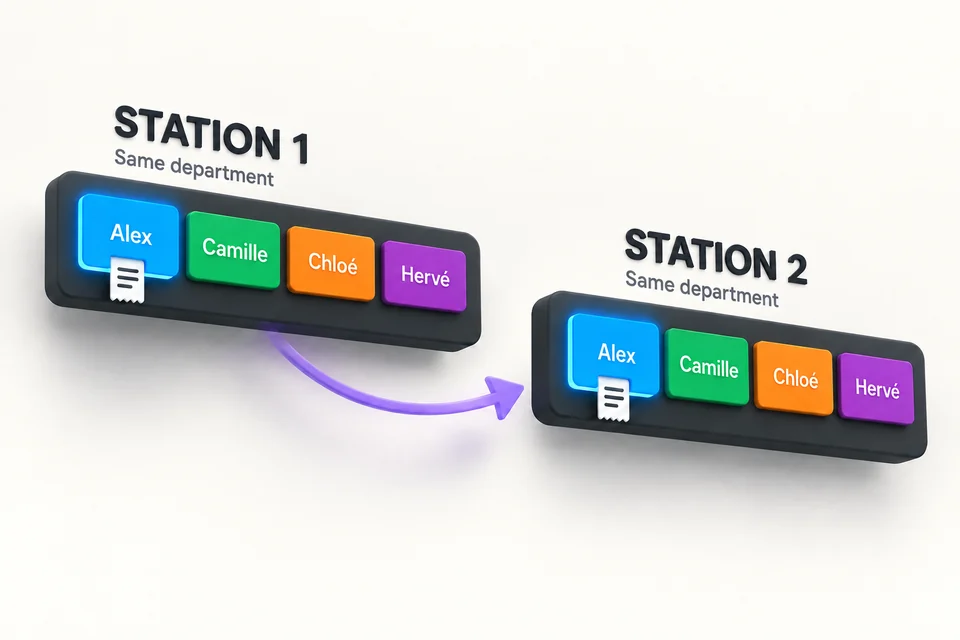
MULTI-SELLER: POS AND CLOUD SCALE
Seller selection buttons are available on the tills and iotill Cloud Scale devices connected to the same department. Sellers identify themselves at the workstation they use, resume their sale and accompany the customer throughout their shopping.
Multi-seller operation also works with a single all-in-one till or a single iotill Cloud Scale. Several sellers share the same equipment, each selecting their seller button to manage their sale. Your team can work together at the counter without adding more workstations.
FOR NEIGHBOURHOOD SHOPS TOO
Multi-seller operation also supports small teams. Within the same department, sellers retrieve their sale at the workstation they use to keep serving their customer.
Start the sale on one till, then identify yourself at the second to continue it. Follow the customer along the counter without starting their receipt again.
Explore the all-in-one POS ↗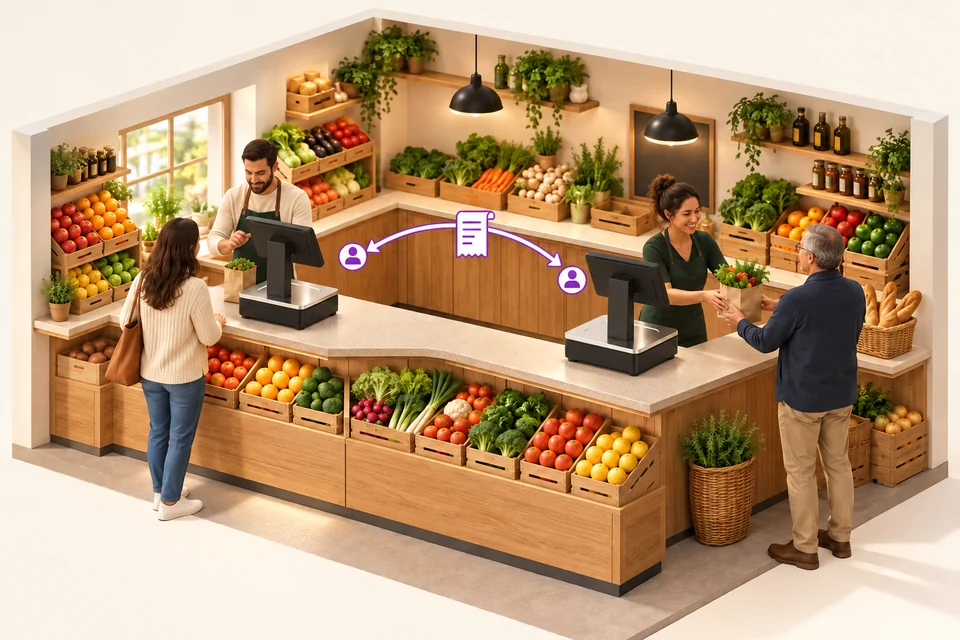
Several Cloud Scale devices can equip the same department. The seller retrieves their sale on another scale to continue weighing and complete checkout: the scale includes the POS application.
Explore Cloud Scale ↗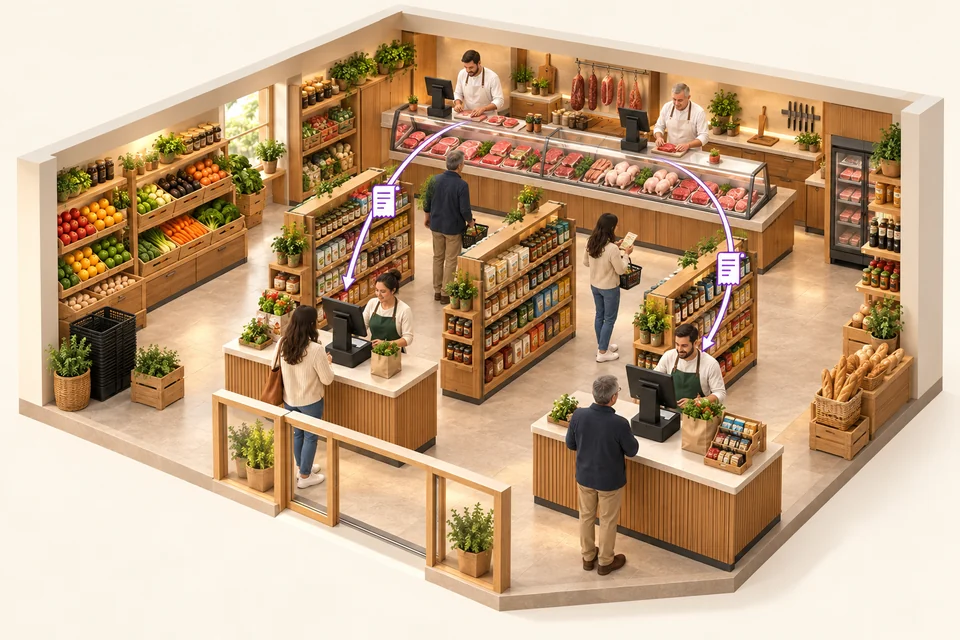
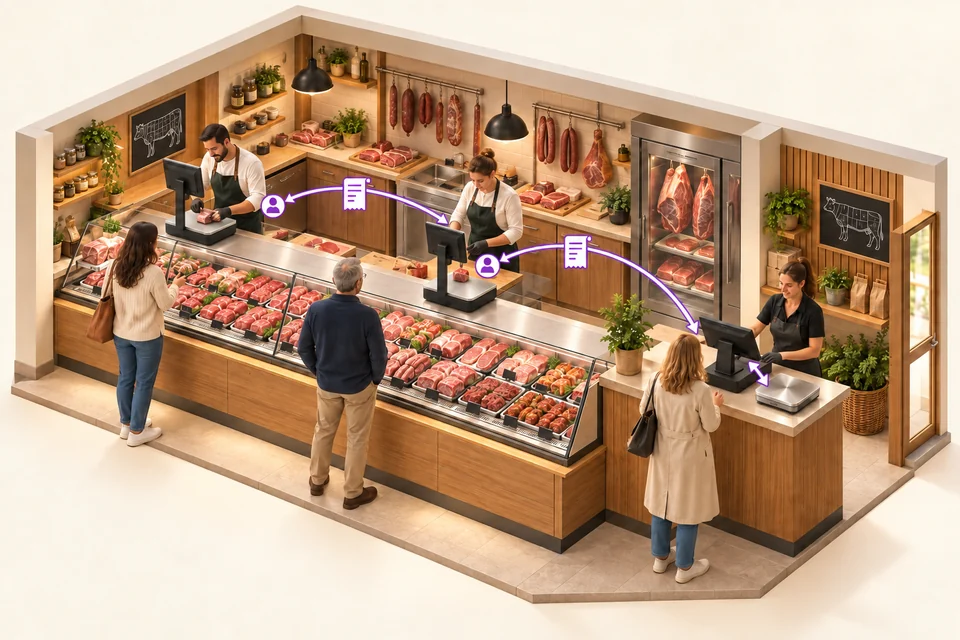
Two checkout tills serve grocery customers. At the butcher counter, several Cloud Scale devices let sellers continue a sale at another workstation in the same department. The scale ticket is then retrieved at checkout by QR code or from the list of tickets not yet checked out, including all item details.
Two Cloud Scale devices equip the service counter. At the exit, an all-in-one till retrieves department tickets and their items. A separate checkout weighing platter connected to this till also lets staff weigh items directly at checkout.
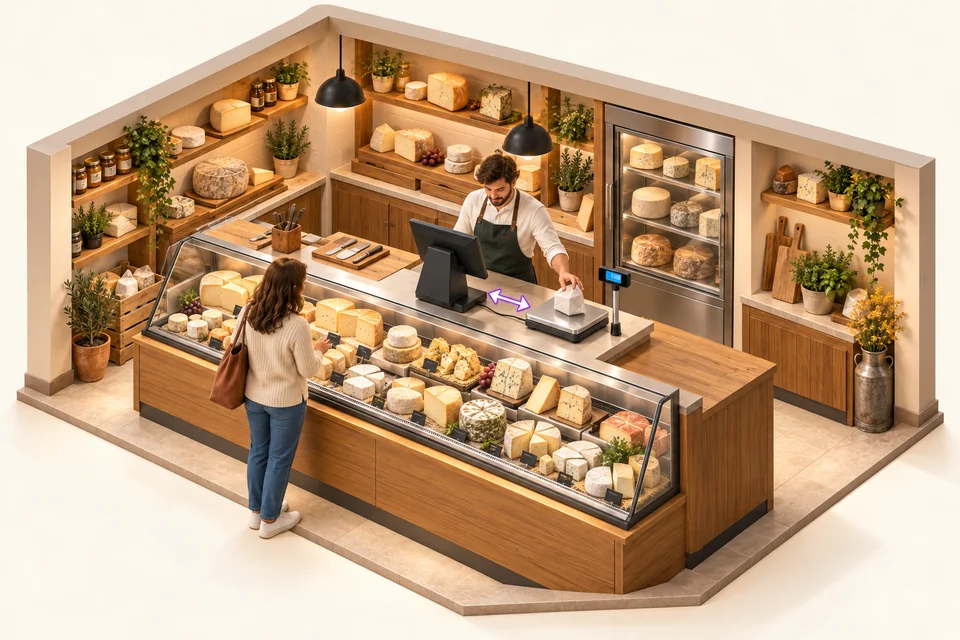
A single all-in-one till connected to a checkout weighing platter lets you weigh and take payment at the counter. Several sellers can work on this same till: each selects their seller button to manage their sale.
Explore the POS with a connected scale ↗THE WHOLE STORE AT A GLANCE
Organise your service counters, their Cloud Scale devices and your checkouts around iotill Cloud. Each workstation plays a part in the customer’s journey through the store.
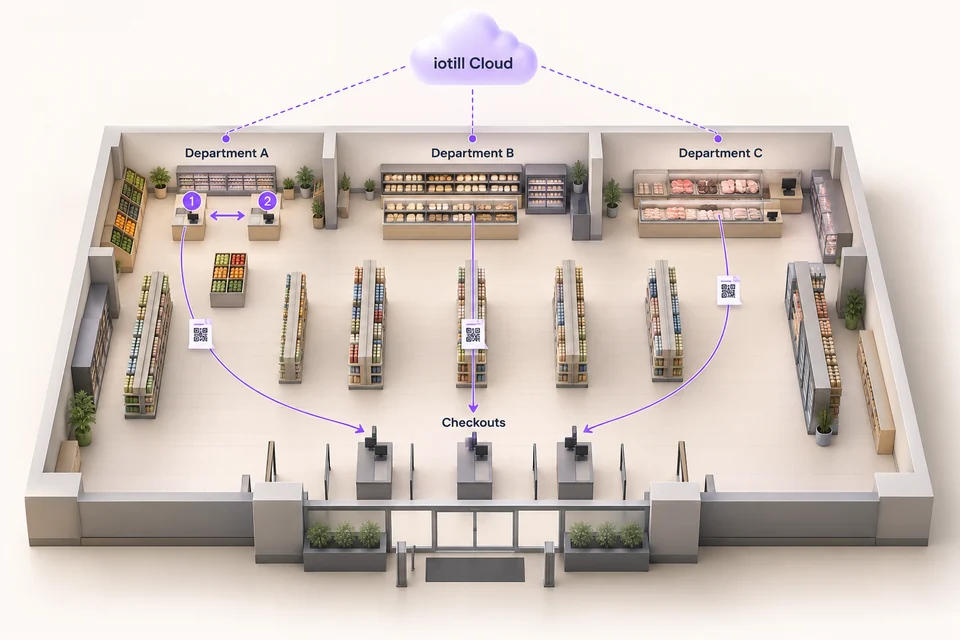
The seller identifies themselves at another till or Cloud Scale in the same department to continue the sale.
The scale ticket is retrieved by QR code or from the list of tickets not yet processed at checkout, including its item details.
Access centralised catalogue, stock and store activity management.
SERVICE COUNTERS AND CHECKOUTS
At checkout, scan the QR code on the scale ticket or retrieve it from the list of tickets not yet processed at checkout. The scale ticket’s item details are included in the checkout receipt.
Compare tickets issued at each service counter with those scanned at checkout. Identify tickets not yet processed at checkout and discrepancies to review when monitoring shrinkage by department.
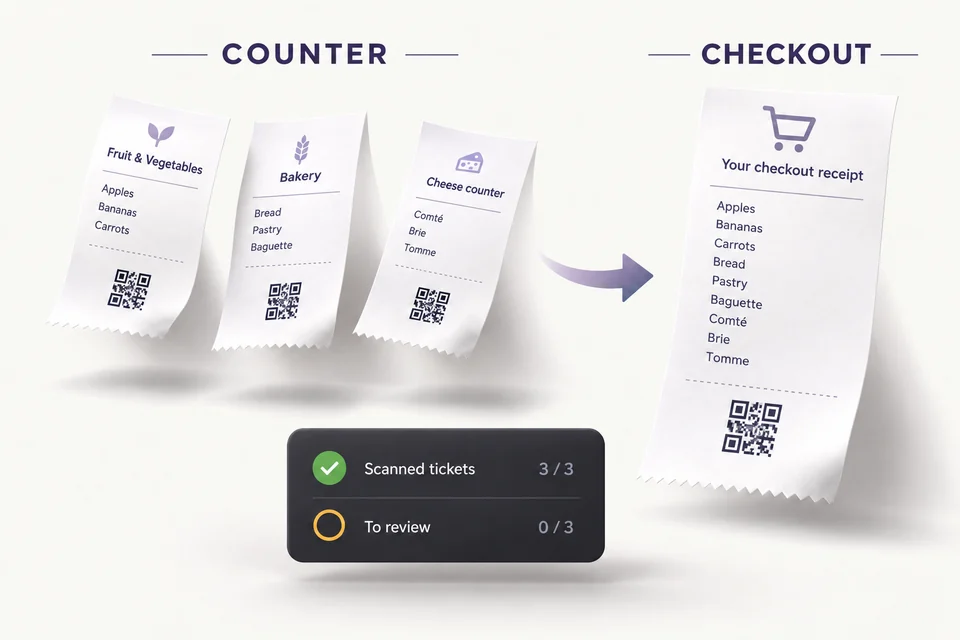
SHRINKAGE MONITORING
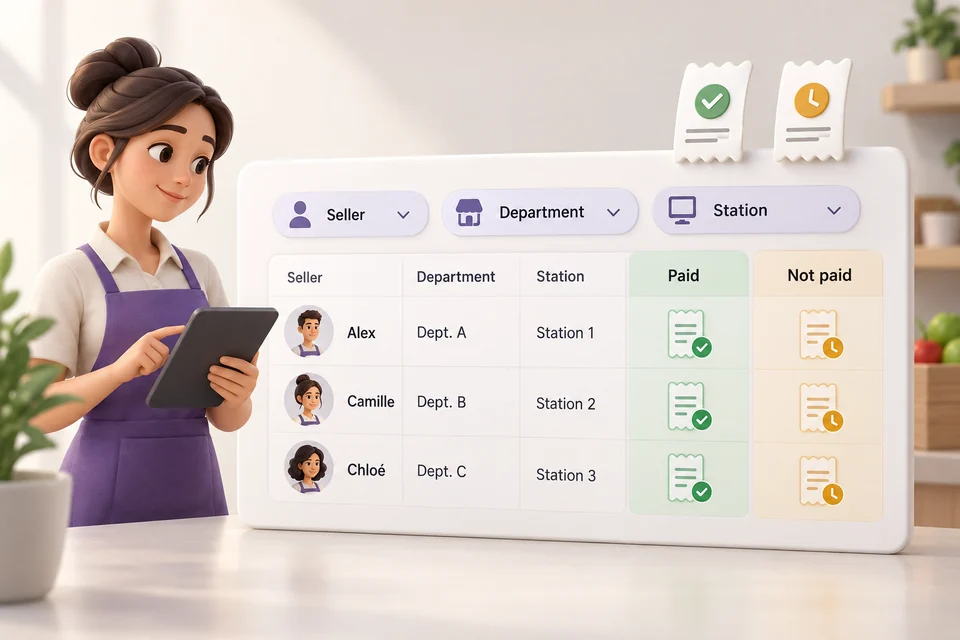
Reconcile tickets issued at service counters with their checkout status. Review paid and unpaid tickets by seller, department and workstation to identify discrepancies that need checking.
Find the tickets associated with each seller.
Compare issued and paid tickets for each department.
Identify the workstation that issued tickets needing review.
When a team works with multiple tills, a sale can begin at one station and finish at another. The process adapts to counter service, particularly in larger bakeries.
FROM THE COUNTER TO THE CHECKOUT
Small or medium-sized supermarket, large grocery shop or supermarket: combine checkout tills and weighing stations at fresh counters. Butchery, cheese and other weighed-goods counters have equipment suited to their role.
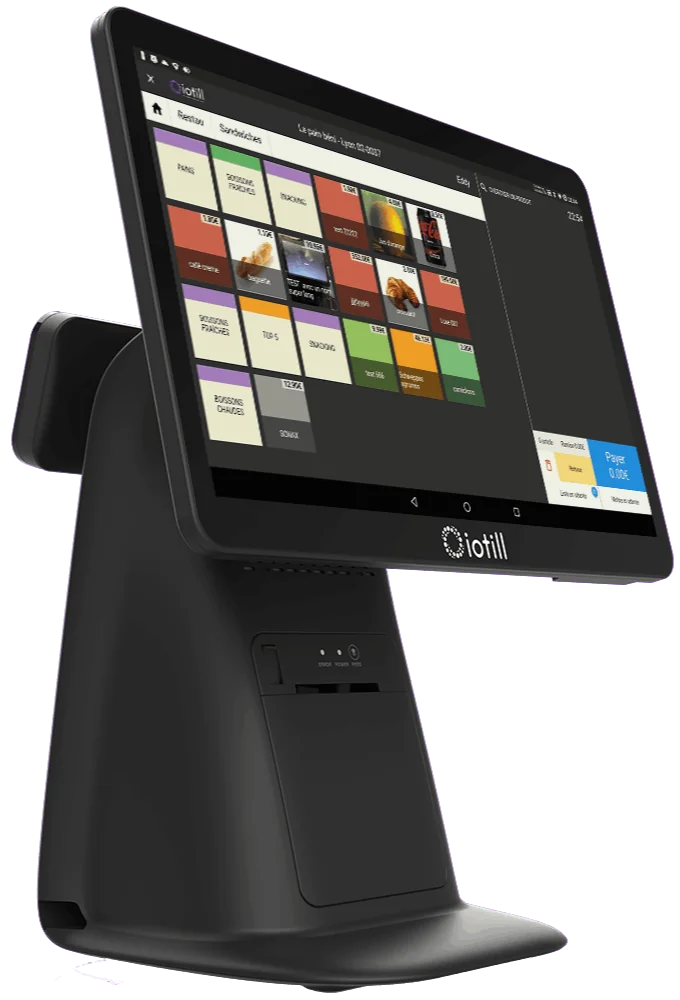
Checkout stations to complete in-store purchases.
Explore the solution ↗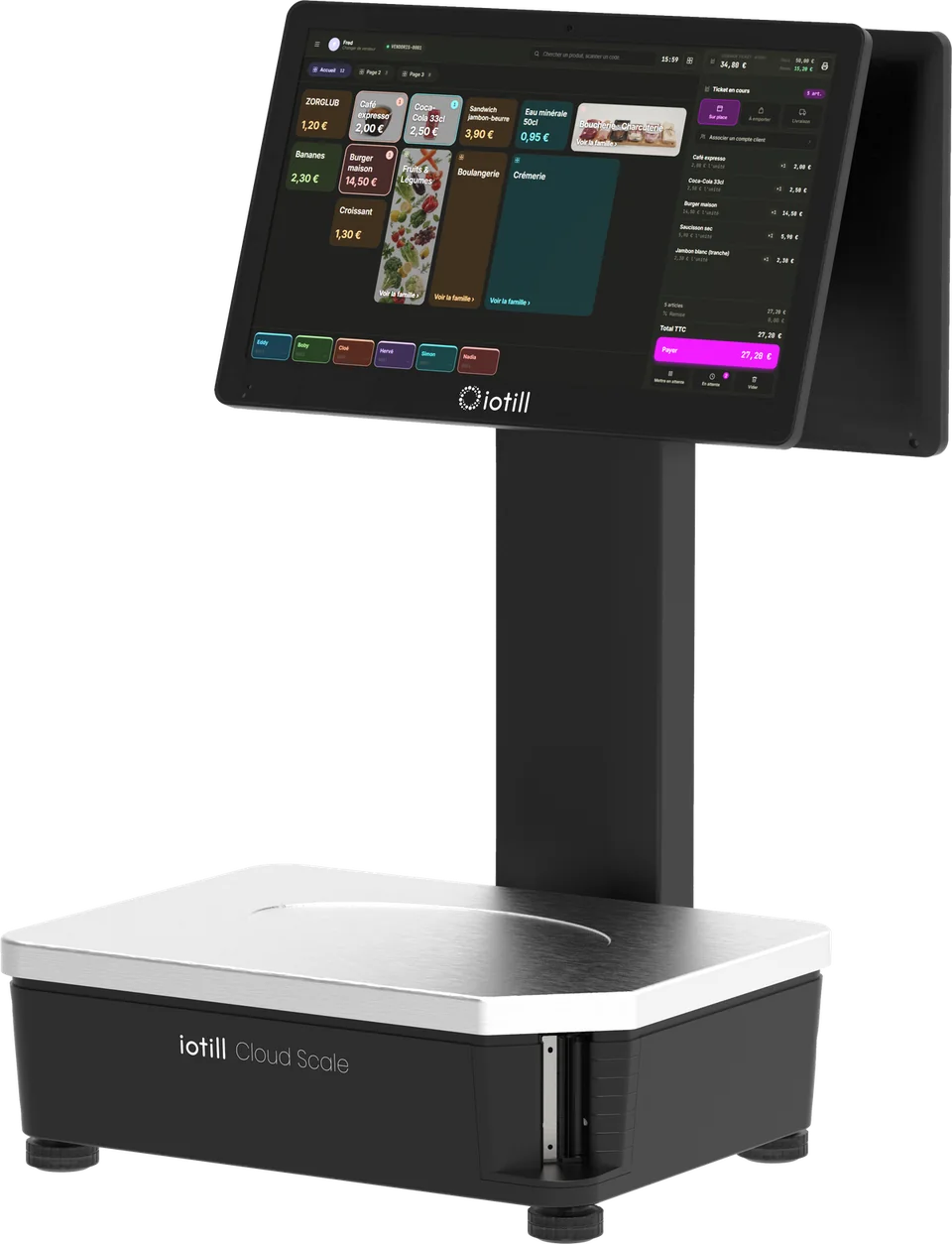
Cloud Scale, or a touchscreen POS paired with a connected scale, for sales by weight.
Explore the solution ↗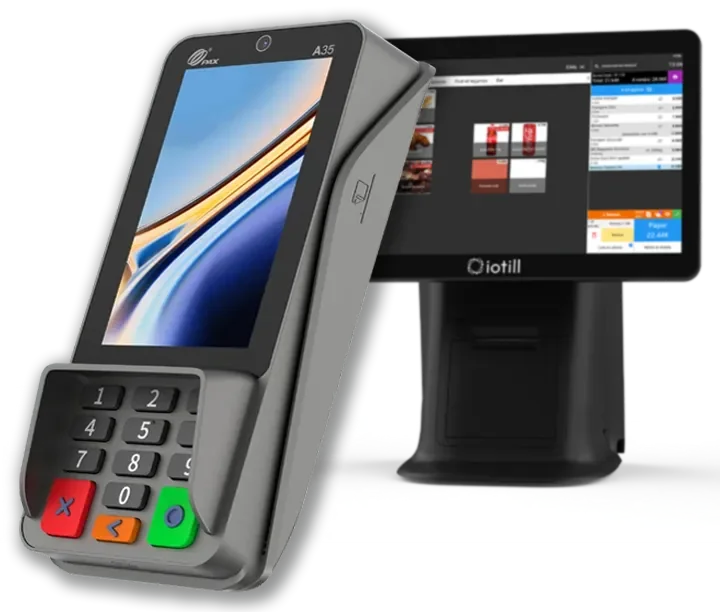
The PAX A35 with iotill Pay complements fixed stations for card payments.
Explore the solution ↗Multi-till setups organise stations within one store. Multi-site management covers several locations. iotill Cloud connects them through catalogue, stock and sales monitoring.
Tell your reseller how many tills and counters you need and how you want sales to flow. Together, you can plan a setup suited to your store.
View sales by staff member and till in iotill Analytics. Compare periods and examine revenue, number of sales and average basket to organise your business.
Explore sales analysis ↗