iotill
Log in
EN
English Français
Demo?
Menu

IOTILL / SALES MANAGEMENT

From the counter
to the invoice.

Serve retail customers and manage business customers in the same place. Customer accounts, quotes, orders, delivery notes and invoices: sales management is part of your iotill POS and iotill Cloud.

Request a demo ↗

Factur-X: invoice format. E-invoicing and e-reporting: document and data preparation; the transmission process is defined with your reseller. NF525: certification of the iotill v2 POS software.

ONE SALES CYCLE

Your documents follow the sale.

  1. 01

    Quote

    Prepare your sales proposal in iotill.

  2. 02

    Ordering

    Turn an accepted quote into an order.

  3. 03

    Delivery note

    Assign delivered goods to the customer account.

  4. 04

    Invoice

    Invoice one delivery or combine several delivery notes.

  5. 05

    Payments

    Complete the sales cycle with payment.
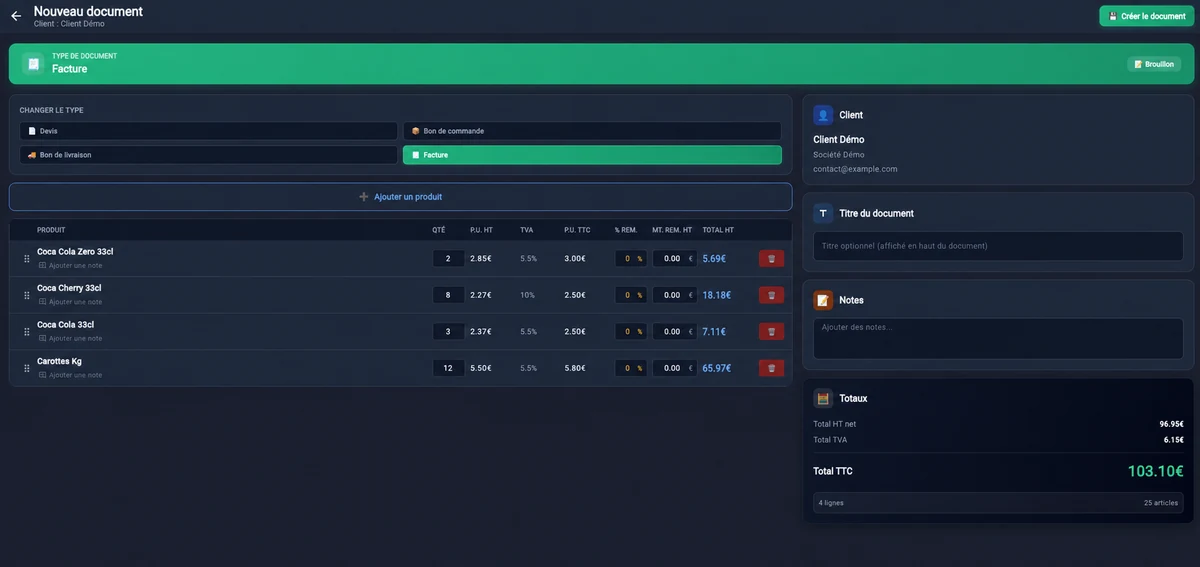
Create a document: quote, order, delivery note or invoice.

THE RECEIPT QR CODE, FOR YOUR CUSTOMERS

One receipt. Three possibilities.

On their smartphone, your customer scans the QR code on a receipt issued by an iotill checkout, ordering kiosk or scale. They can create their compliant invoice, customer account or loyalty card, according to their needs.

They choose one or more services. The three options are independent.

See the receipt QR journey in a demo ↗
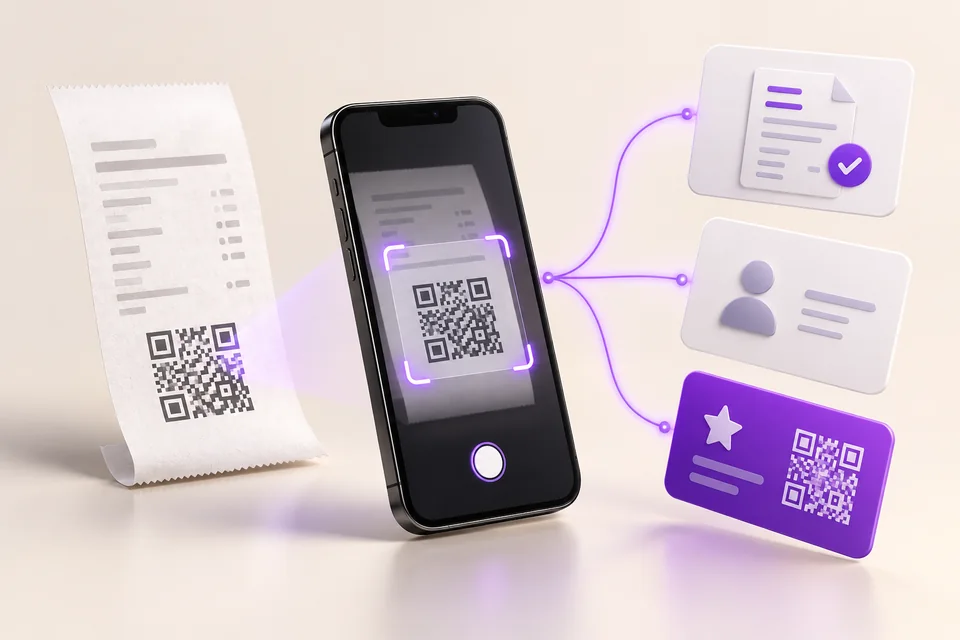
A customer scans their receipt QR code on a smartphone to choose an invoice, customer account or loyalty card
Illustration of the customer journey: scan the receipt, then choose a service.

FOR BUSINESSES SELLING TO CONSUMERS AND BUSINESSES

Take consumer payments. Invoice business customers.

Whatever your trade, manage consumer sales and business customer orders in the same environment. Immediate payment or invoicing on account: adapt the process to each customer.
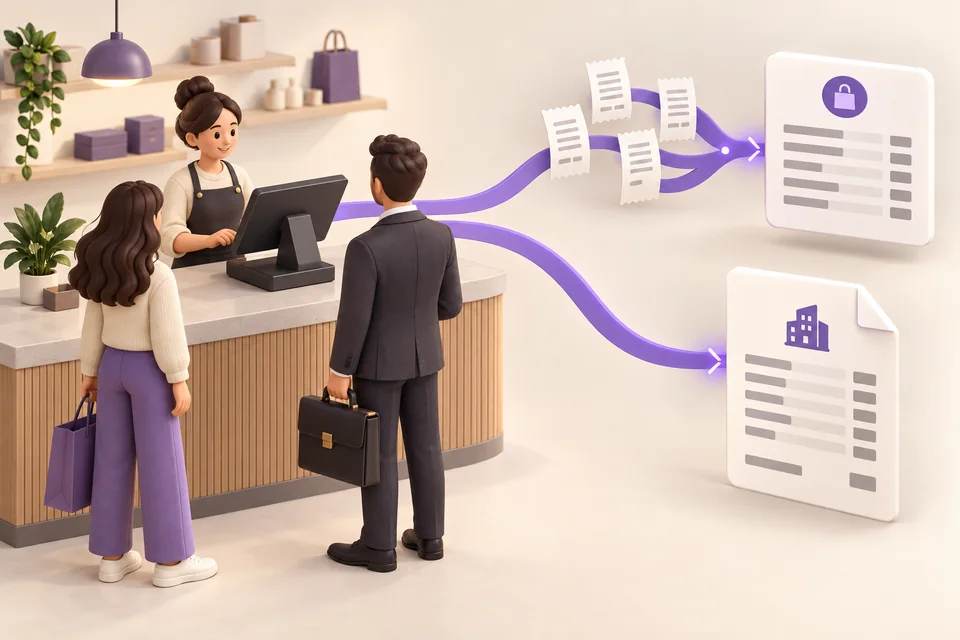
One POS for consumers and businesses, with two document workflows

You sell to a consumer

  1. Select the purchased items.
  2. Prepare the sale at the POS.
  3. Take payment and issue the receipt.

You sell to a business customer

  1. Identify the business customer account.
  2. Prepare their order.
  3. Issue the invoice at the POS, or create a delivery note linked to the account.
  4. For deliveries, combine delivery notes at the agreed interval.

PERIODIC INVOICING

Five deliveries. One invoice.

Delivery notes accumulate on the business account throughout the month. Select the relevant notes and combine them into one consolidated invoice, at the interval agreed with your customer.

Illustrative example — a business customer

  • Delivery note #001 — 3 September
  • Delivery note #014 — 8 September
  • Delivery note #027 — 15 September
  • Delivery note #038 — 21 September
  • Delivery note #052 — 28 September

5 delivery notes → 1 month-end invoice
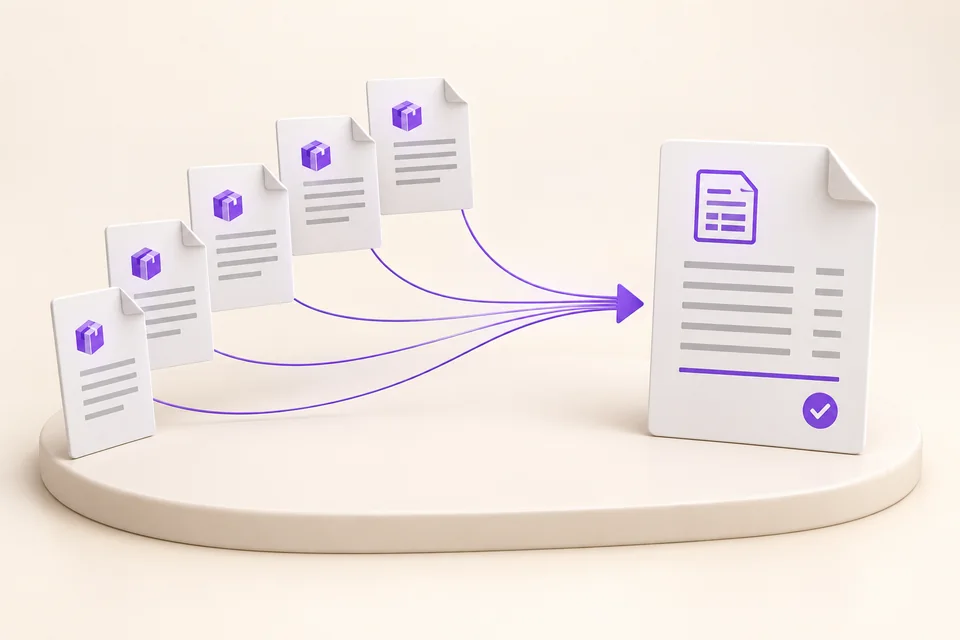
Five delivery notes for the same business customer grouped into a single consolidated invoice
Several deliveries for the same customer. One consolidated invoice.

Your deliveries stay linked to the customer account.

Accumulate delivery notes, then select the ones to invoice together.

BUSINESS CUSTOMER ACCOUNTS

Every customer has a sales history.

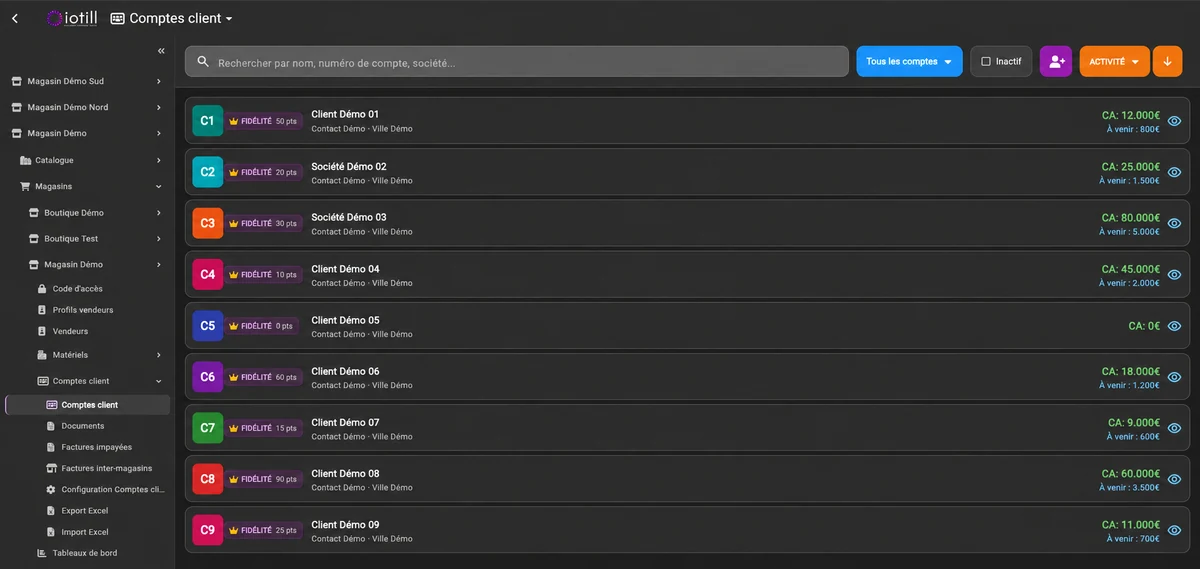
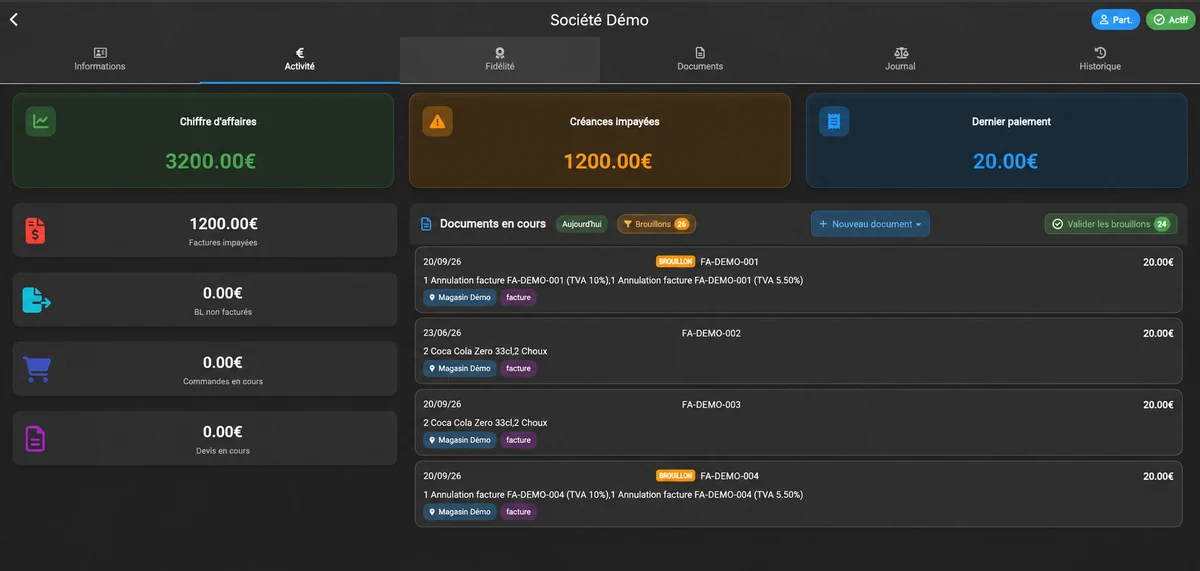
Find the quotes, orders, delivery notes and invoices associated with each business customer. The customer account connects operations in your iotill environment, from the shop to management in iotill Cloud.

Explore iotill Cloud ↗
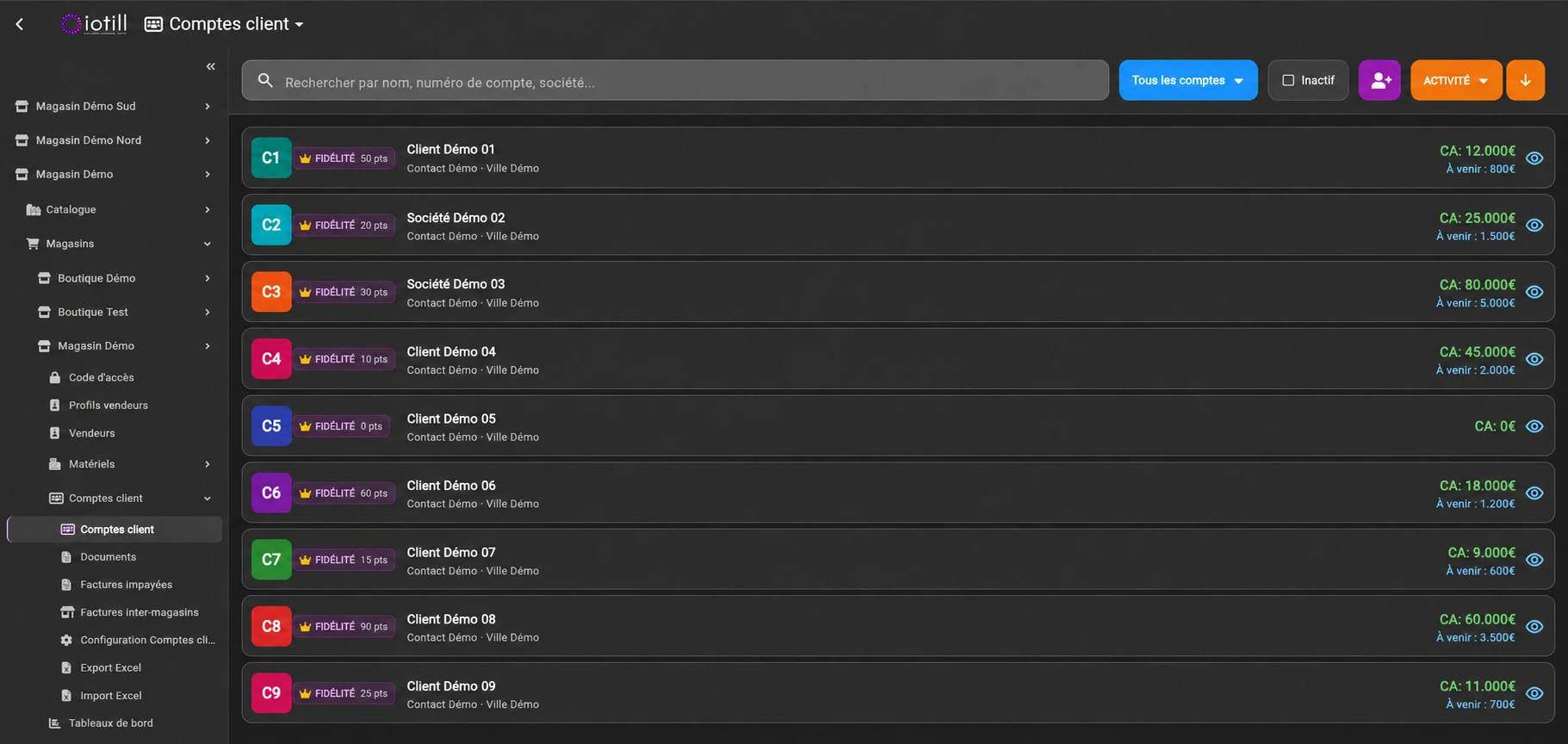
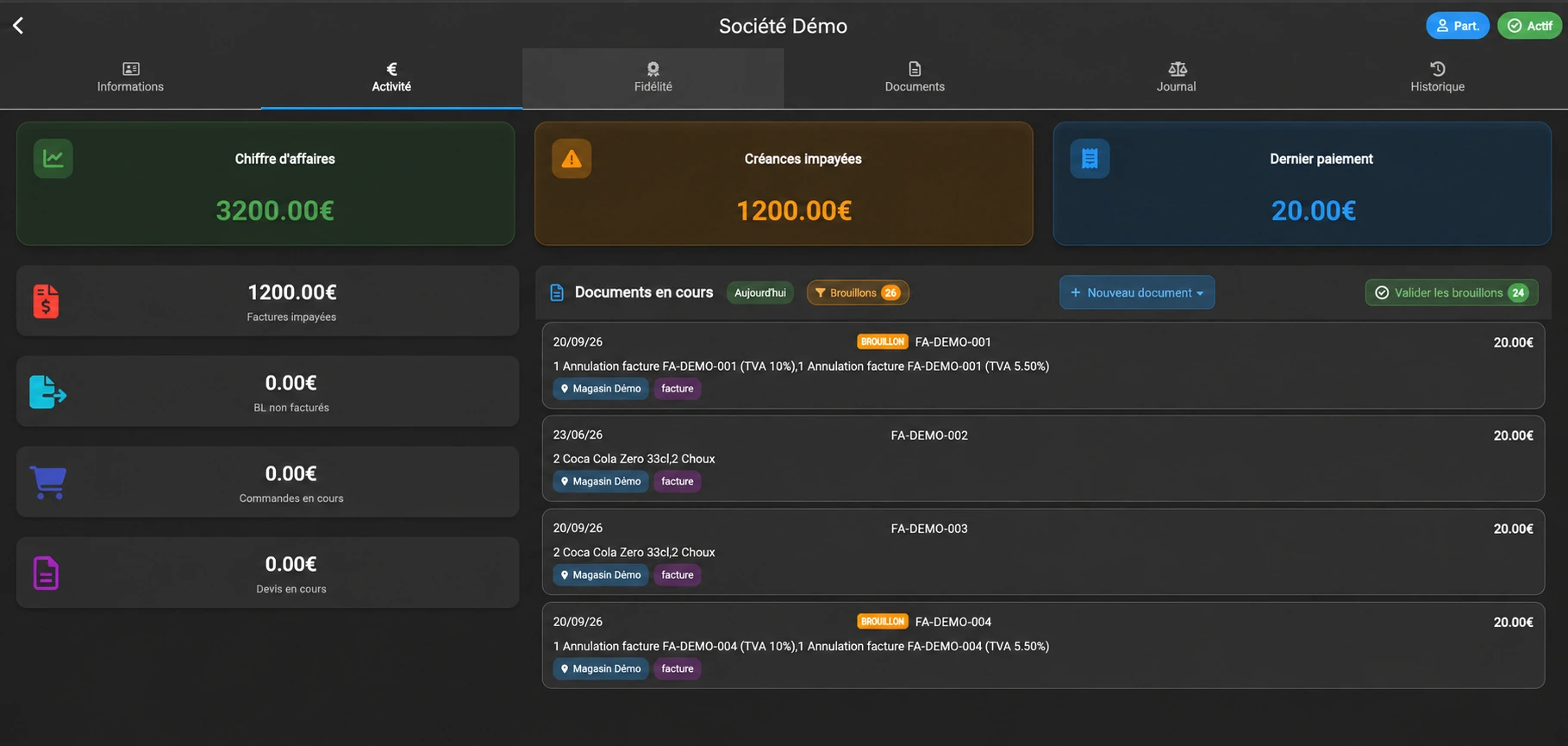
Find customer accounts in iotill Cloud.
Track account activity: unpaid invoices, uninvoiced delivery notes, current orders and quotes.

ELECTRONIC INVOICING

From POS to electronic invoicing.

iotill supports Factur-X, e-invoicing and e-reporting. The solution prepares the documents and data needed for electronic invoicing as part of your sales management.
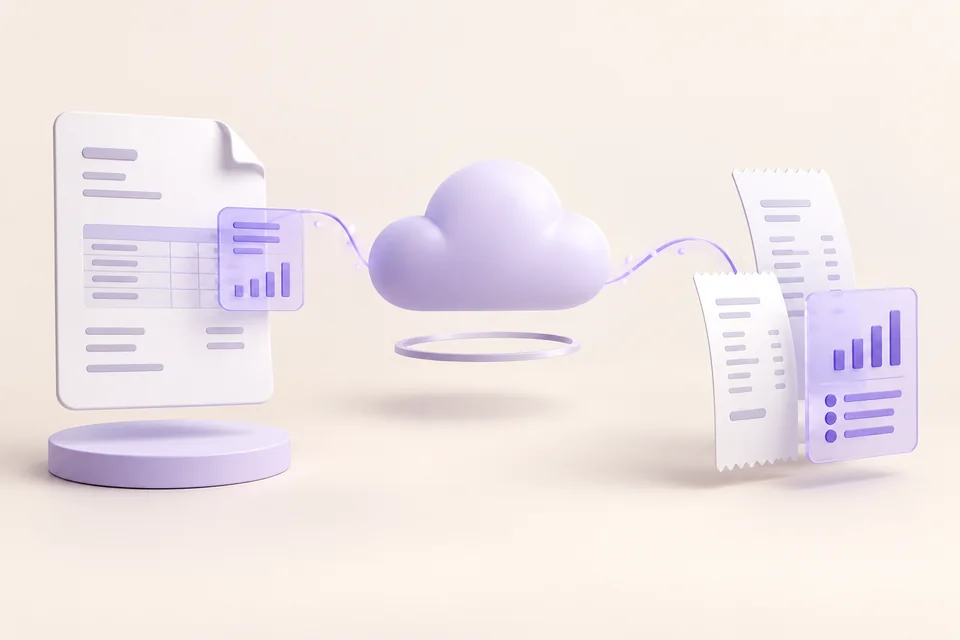
3D illustration: an invoice, receipts and their data organised around the iotill cloud.
Invoices and sales data prepared in iotill.

B2B / e-invoicing

E-invoicing covers invoices between VAT-taxable businesses established in France that fall within the scope of the reform. Your delivery notes can feed into the business customer’s invoice.

B2C / e-reporting

For retail sales subject to e-reporting, transaction data must be reported. A shop serving both retail and business customers may therefore fall under both schemes.

Factur-X, within your sales management.

Invoices generated by iotill support the Factur-X format. The document format and its transmission channel are separate matters: your reseller helps you define the configuration suited to your business.

ELECTRONIC INVOICING / THE GUIDES

Understand what changes for your sales and invoices.

What is Factur-X for? What happens to your receipt? When must you be ready? Find clearly explained answers.

Understand electronic invoicing ↗

YOUR WORKFLOW, IN PRACTICE

Let’s look at your sales cycle.

From the first quote to the monthly invoice, explore iotill sales management in a demo.

Request a demo ↗

USEFUL ANSWERS

Before you
get started.

Plan my equipment ↗
What can customers do with the QR code on an iotill receipt?
On their smartphone, customers scan the QR code on a receipt issued by an iotill checkout, ordering kiosk or scale. They can create their compliant invoice, customer account and/or loyalty card. These services are independent: customers choose the ones they need.
Can I create a delivery note from the POS ?
Yes. Within iotill, you can create a delivery note and assign it to the business customer account.
Can I combine delivery notes into one invoice?
Yes. Delivery notes accumulate on the customer account; select the ones to combine into a consolidated invoice.
Can I manage retail and business customers in the same software?
Yes. iotill combines retail checkout and business customer sales management, within the POS and iotill Cloud.
Does iotill support quotes and orders?
Yes. Quotes, orders, delivery notes and invoices form part of the same sales cycle, with document conversion.
Do iotill invoices support Factur-X?
Yes. Invoices generated by iotill support the Factur-X format.
Does iotill support electronic invoicing?
Yes. iotill supports e-invoicing and e-reporting and prepares the relevant data and documents. Confirm the transmission channel with your reseller.
Can I invoice a business customer at month end?
Yes. Accumulate delivery notes during the month, then combine the relevant notes into one invoice, at the interval agreed with the customer.